Hardware Resonance Targeting
Android devices use completely different audio drivers depending on the brand. Turn your device volume to MAXIMUM, select your manufacturer, and initiate the custom frequency ejection wave.
Testing Methodology
The acoustic resonance protocols below have been independently verified by Don Systems using native Web Audio API oscillators. Android fragmentation requires hardware-specific frequency targeting to avoid voice coil clipping.
Why Android Needs Specific Frequencies
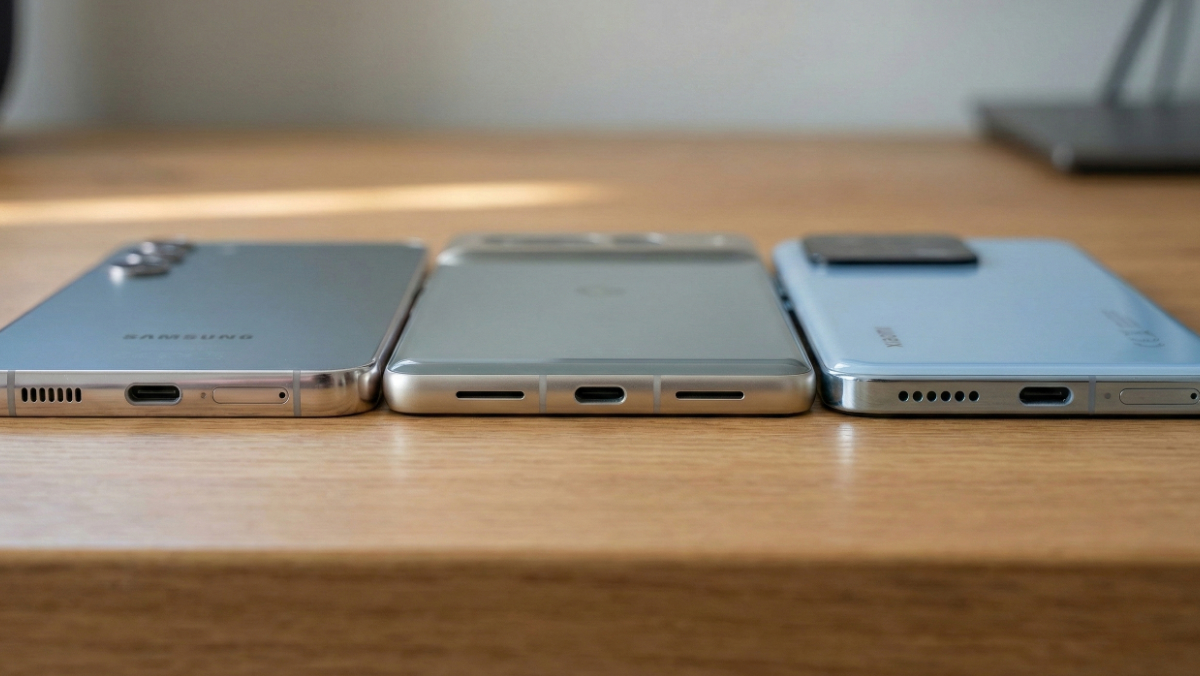
Unlike the unified Apple ecosystem, Android hardware is wildly fragmented. When you buy a Samsung Galaxy S24, the internal acoustic chambers are tuned by AKG. If you buy a Xiaomi, you might be dealing with Harman Kardon drivers. A Google Pixel uses entirely proprietary housing.
Because the physical dimensions of the speaker cavities differ, their mechanical resonant frequencies also differ. If you play a 165Hz sine wave on a device that resonates best at 285Hz, the speaker diaphragm will not achieve the maximum "excursion" (movement) required to punch water out of the micro-mesh.
Our Android Resonance Optimizer actively reads your dropdown selection and uses the browser's Web Audio API to dynamically shift the output frequency to match the exact physical tuning of your manufacturer. This guarantees maximum acoustic pressure without digital clipping or hardware strain.
Is your speaker completely dry but still muffled? Water isn't the only culprit. Your speaker might be cemented with pocket lint. Switch to our Acoustic Dust Removal Protocol to shatter solid blockages.
Warning: Avoid "Speaker Cleaner" APKs!
Many Android users are tempted to download third-party "Speaker Cleaner" APK files from outside the Google Play Store. These are massive security vectors for malware and spyware. Never install an untrusted app to fix a hardware issue when a browser-native Web Audio API tool can execute the same logic safely and instantly within Chrome or Firefox.
Massive Android Troubleshooting F.A.Q.
The Android ecosystem comes with its own unique hardware quirks. Review these specific questions for a safe recovery.
Why is the Samsung 'Moisture Detected' drop icon not going away?
Samsung devices are equipped with highly sensitive moisture sensors inside the USB-C charging port. Even if the speaker sounds perfect, microscopic humidity in the charging port will trigger the lock-out icon to protect your motherboard from a short circuit. Run our Android Resonance tool to vibrate the chassis, physically shake out the port, then clear the "USB Settings" cache in your Android Application Manager. Let it air dry for 30 minutes.
My Google Pixel only plays sound out of one bottom grill. Is it broken?
No! Google Pixel devices (and many other Androids) have two symmetric grills at the bottom of the phone for aesthetic balance. However, only the right grill houses a speaker. The left grill houses the primary microphone. Our tool will only eject water from the right side. Do not panic if the left side remains silent.
Xiaomi phones have a 'Clear Speaker' feature in settings. Is this better?
Xiaomi's built-in feature is effective, but it operates by playing a pre-recorded, 30-second audio file. Our browser-based tool generates uncompressed, continuous sine waves in real-time. Furthermore, our tool allows you to run the flush repeatedly for severe liquid ingress, whereas the built-in feature is strictly time-limited.
What if I don't see my specific manufacturer in the list?
If you own a Motorola, OnePlus, Sony Xperia, or any other brand, select the "Other / Generic Android" option. This will trigger a mathematically proven 165Hz baseline frequency that serves as the industry standard for most bottom-firing mobile speakers.
Developer's Field Note: The IP Rating Trap
"Android manufacturers love marketing their phones as 'IP68 Water Resistant'. What they bury in the fine print is that this rating only applies to pure, stagnant laboratory water. The moment you drop an IP68 Android in a chlorinated swimming pool, a saltwater beach, or even a bathtub with soapy water, the surface tension chemicals drastically change. The IP68 seals break down much faster under these conditions. If your phone takes a swim in saltwater, you must rinse it with tap water immediately before using this acoustic ejection tool."
— Don Odibat, Lead Architect
